



Apple first introduced randomized MAC addresses in iOS 14 to increase user privacy. With iOS 18, MAC randomization is even more aggressive. This poses new challenges for network administrators, from small businesses to large enterprises. Here are three core strategies to help future-proof your networks. These will ensure reliable device onboarding and robust security despite MAC address changes.
Devices on secure Wi-Fi networks use a fixed address. According to Apple, a “secure” network is protected by WPA2-AES or WPA3 encryption. Make sure your organization’s Wi-Fi uses one of these standards. This will help avoid the disruptive effects of address rotation.
1. Manual Password Entry: Users receive the network name and password. They enter these credentials in iOS Settings.
2. QR Code Onboarding: Embed your WPA2/WPA3 credentials in a QR code. When scanned, iOS automatically configures the secure connection.
3. MDM Configuration: A Mobile Device Management (MDM) platform can push secure settings over the air. Generally used in enterprise environments, this minimizes end-user involvement and errors.
4. 802.1X Certificate Authentication: High-security deployments often need unique certificates for each device. This eliminates password sharing and uses iOS’s built-in 802.1X client to authenticate devices seamlessly.
Upgrading to secure Wi-Fi helps mitigate MAC randomization's impact and strengthens wireless security.
For decades, networks have relied on MAC addresses to authenticate devices. However, MAC spoofing is an easy way to bypass any security system that relies solely on static MAC-based authentication. Today’s environment demands more robust strategies.
1. Certificate-Based Authentication (Hotspot 2.0 / Passpoint): This method uses digital certificates stored within a device’s secure enclave. Each certificate uniquely identifies a user or device and is hard to forge or spoof.
2. Username/Password (EAP-TLS): Combine credential-based logins with TLS encryption for better security and traceability. This is common in enterprise networks that require accountability.
3. Federated Identity (Apple ID, Google ID, etc.): Many modern captive portals allow single sign-on (SSO) with popular IDs. This simplifies onboarding, removes MAC as the primary identifier, and provides users with a familiar login flow.
By authenticating devices through certificates, credentials, or federated identity mechanisms, you stop relying on a hardware address that can rotate or get spoofed.
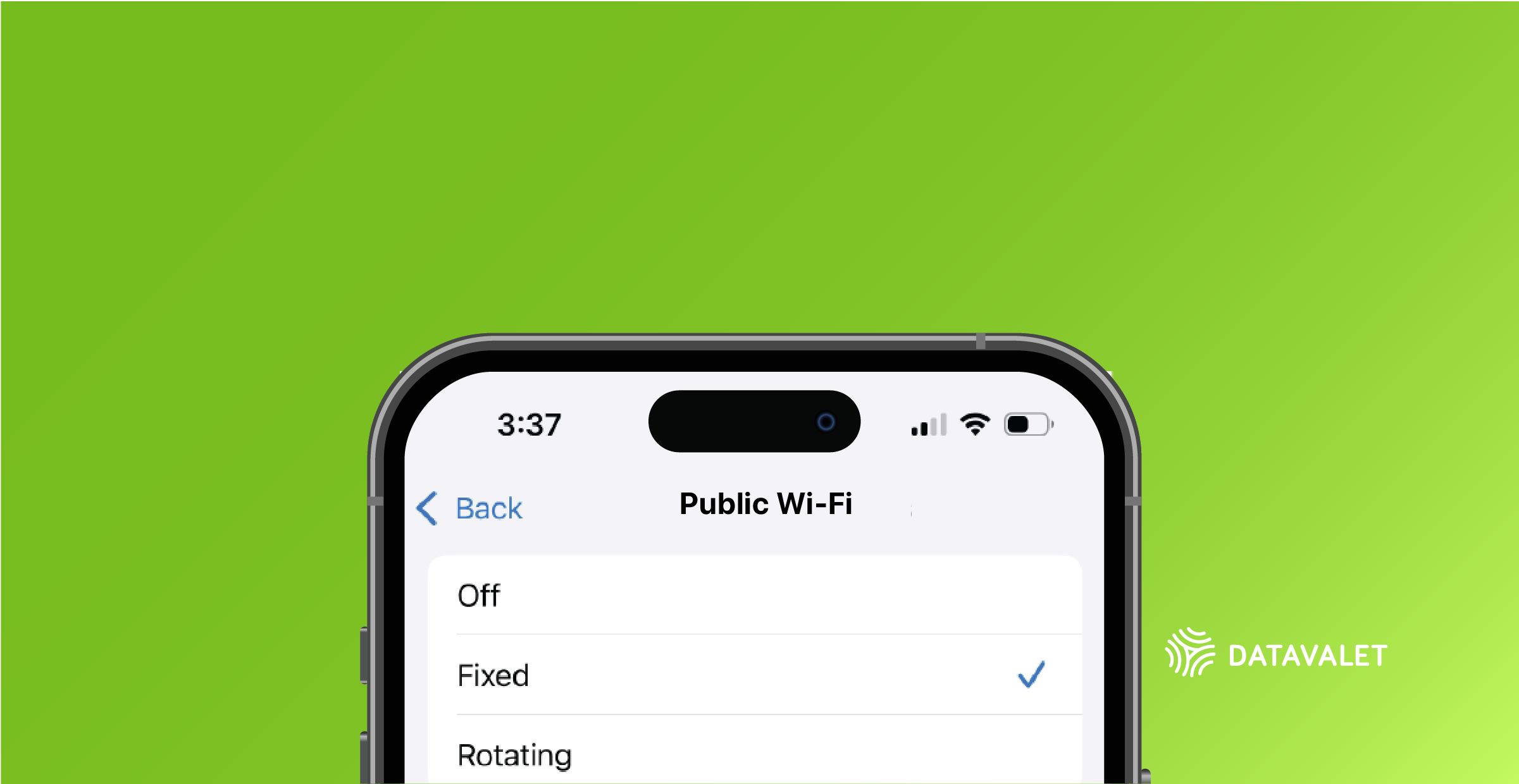
Even though iOS 18 often rotates MAC addresses, there are still ways to force iOS to use a consistent MAC address on specific networks.
1. Manual Configuration: In the Wi-Fi settings for a known network, users can toggle off “Private Wi-Fi Address” or set it to “Fixed.” This ensures a predictable MAC address on that particular SSID.
2. MDM Policy Enforcement: Administrators can push policies that switch devices to a fixed MAC address when they connect to the corporate network.
This approach offers a near-term solution for networks that rely on MAC addresses for device identification. It is beneficial for small offices or simpler setups. However, it should be combined with a transition plan to more modern, identity-based security.
Future-proofing your network against Apple’s iOS 18 MAC address rotation isn’t about a single solution. It’s a multi-pronged strategy:
Whether you own a small retail shop or manage a large enterprise campus, these changes will keep your network user-friendly and secure. This will ensure your Wi-Fi environment is ready for the next wave of Apple updates and the future beyond iOS 18.

Every organization is unique. Our experts will work with you to design the right mix of products and services for your needs, from multi-site deployments to enterprise-scale rollouts.


.svg)